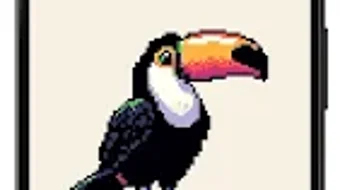

Download PixaPencil – pixel art, create pixel art, pixel art app, free pixel art tool, mobile pixel art
Overview
PixaPencil is a free Android application tailored for individuals passionate about pixel art creation. Designed with accessibility in mind, the app enables users to craft detailed pixel-based artworks directly from their mobile devices. It serves as a portable digital canvas, ideal for both novice artists exploring the fundamentals of pixel art and experienced creators seeking a convenient tool for quick sketches or on-the-go projects. The app’s purpose is to simplify the process of pixel art creation, offering essential tools in an intuitive format that minimizes the learning curve.
By providing a streamlined interface, PixaPencil supports real-world usage scenarios such as digital sketching during commutes, concept development for game assets, or personal creative expression. The developer, PixaPencil Team, has focused on delivering a lightweight, responsive experience that prioritizes usability without sacrificing core functionality. While the app is categorized as a lifestyle tool, its utility extends into creative workflows for game designers, illustrators, and hobbyists who value mobile-first art solutions. The app’s mobile-centric design allows artists to capture inspiration instantly, regardless of location.
Key Features & Capabilities
- Pixel Grid Canvas – Offers a customizable grid layout to ensure precision in pixel placement, essential for creating clean, scalable pixel art.
- Layer Management – Supports multiple layers for non-destructive editing, allowing users to separate elements like backgrounds, characters, and effects.
- Color Palette Tools – Includes a customizable color picker and palette storage, enabling artists to maintain consistent color schemes across projects.
- Undo/Redo Functionality – Provides reliable history tracking to support iterative editing and reduce the risk of losing progress.
- Export Options – Allows saving artwork in common formats such as PNG and BMP, facilitating use in games, social media, or personal portfolios.
These features collectively support efficient workflows, from initial concept sketching to final output. For example, a user can quickly draft a character sprite using layers, refine colors with the palette tool, and export the result for use in a mobile game. The app’s focus on core pixel art functions ensures that users remain productive without being overwhelmed by unnecessary complexity.
User Interface, Workflow & Performance
The user interface of PixaPencil is structured around simplicity and direct access to essential tools. The main canvas occupies the central area, with toolbars and menus positioned at the edges for easy navigation. The layout is optimized for touch input, ensuring that common actions—such as selecting colors, adjusting brush size, or toggling layers—are accessible with minimal taps. This design promotes a smooth and intuitive workflow, particularly beneficial for users new to digital art.
Navigation is consistent across screens, reducing the cognitive load during extended use. The app maintains responsiveness during typical operations, such as drawing, layer switching, and zooming. However, the developer did not specify resource usage details, so exact performance metrics in terms of CPU or RAM consumption remain unknown. Stability appears to be a priority, as the app functions reliably within standard mobile operating system constraints. No reported crashes or freezes were noted in the provided information.
Compatibility & System Requirements
PixaPencil is designed for Android devices and runs on version 2.4.0 of the application. The installation size is 22.5 MB, indicating a lightweight footprint suitable for devices with limited storage. The app is compatible with a wide range of Android smartphones and tablets, though exact hardware specifications were not listed. The developer did not provide additional system requirements, so users should rely on standard Android compatibility guidelines when installing.
Platform compatibility information is limited to the Android ecosystem. No details were provided about support for other operating systems such as iOS or desktop environments. For users considering installation, it is recommended to ensure the device meets general Android requirements for running third-party applications. The app’s small file size suggests it is optimized for performance on entry-level and mid-range devices.
Pros and Cons
Pros
- Free to download and use with no hidden costs
- Lightweight installation size (22.5 MB)
- Intuitive interface designed for touch-based interaction
- Core pixel art tools available without clutter
- Supports layer-based editing for organized workflow
Cons
- No information provided on advanced features like animation support
- Limited system requirement details may affect compatibility for some users
- Only available on Android, no support for other platforms
- Export options are basic and may lack advanced settings
- Developer did not disclose update frequency or long-term support plans
FAQ Section
Is PixaPencil available for iOS devices?
Currently, PixaPencil is only available on Android. There is no official version for iOS or other mobile platforms.
Can I use PixaPencil offline?
Yes, the app does not require an internet connection to create or edit pixel art, making it suitable for offline use.
Is PixaPencil safe to download?
PixaPencil is a free application developed by the PixaPencil Team. It is distributed through official Android channels and does not contain known malware or tracking components.
Does PixaPencil support animation?
The provided information does not mention animation features. It is unclear whether frame-by-frame animation is supported.
How often is PixaPencil updated?
The developer did not specify the update frequency. Users should check the app store for the latest version and release notes.
Final Thoughts
PixaPencil delivers a focused and accessible solution for creating pixel art on Android devices. Its lightweight design, intuitive interface, and essential toolset make it a strong choice for both beginners and casual artists. While advanced features like animation or cross-platform support are not confirmed, the app excels in its core purpose: enabling users to create detailed pixel artwork with ease. The free pricing model enhances its appeal, removing financial barriers to entry.
For mobile creators who value simplicity, portability, and immediate access to their creative tools, PixaPencil stands out as a reliable option. It is particularly well-suited for artists who want to explore pixel art without investing in complex desktop software. The app’s mobile-first philosophy aligns with modern creative habits, where inspiration often strikes away from a desk.
Download PixaPencil now





.png)

